
 Shared Web Hosting
Simple, secure, and reliable cloud hosting
Shared Web Hosting
Simple, secure, and reliable cloud hosting
 Semi-Dedicated Cloud Hosting
Higher power & more resources
Semi-Dedicated Cloud Hosting
Higher power & more resources
 Reseller Cloud Web Hosting
White label & fully customizable
Reseller Cloud Web Hosting
White label & fully customizable
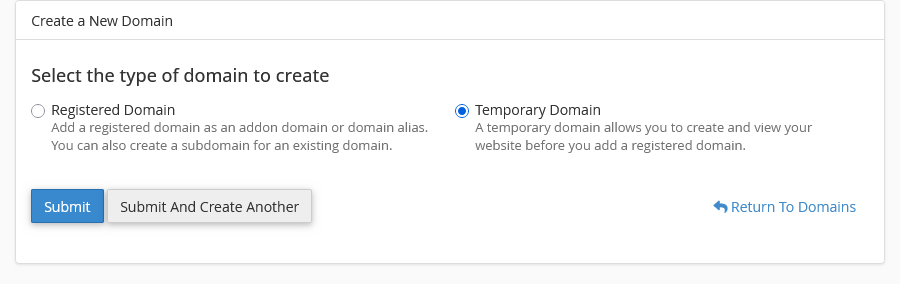
cPanel allows the ability to create temporary add-on domains before you're ready to move over to your production website. Temporary domains cannot be used as permanent addresses, but they’re excellent if you’re not yet ready to launch your website. You can create a temporary domain by logging into cPanel and going to the domains interface and selecting "Create A New Domain"
Once on the create a new domain interface, you will see the option to create a temporary domain, which will generate a random domain for you.
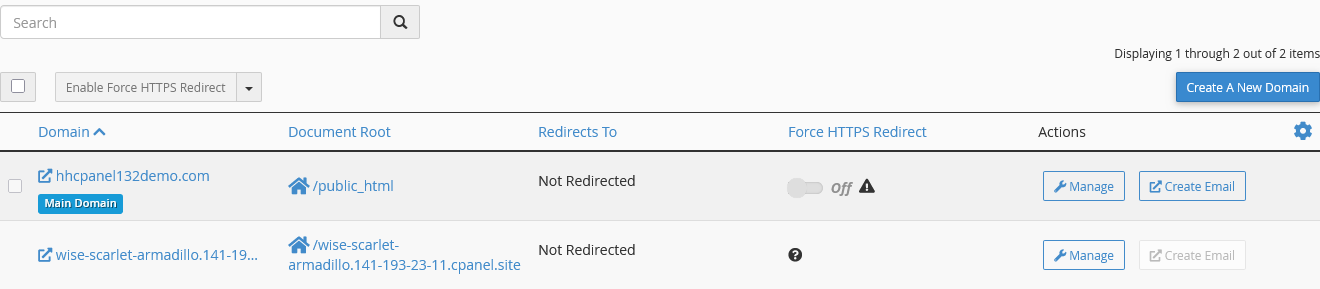
Once you’ve created your temporary domain, you will be provided with an address that you can visit.
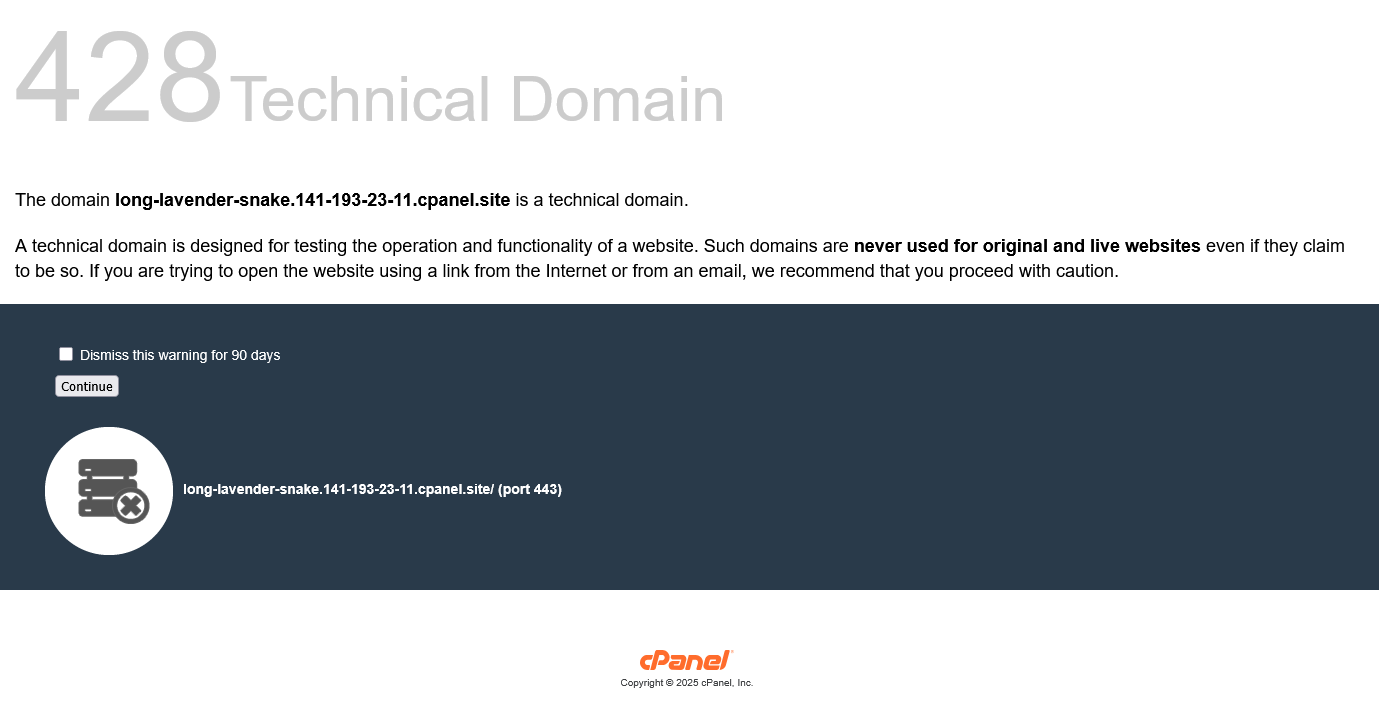
When visiting the domain, you will be advised that it is a technical domain intended for testing purposes only, and not for use on a live website. Anyone who visits the temporary domain will see the same warning upon their first visit.
Once you've built your website and are ready to move to your production domain, you can complete this by clicking manage on the temporary domain. On the temporary domain page, you will need to click the "Replace with a registered domain" option, which will ask for the domain you wish to use.
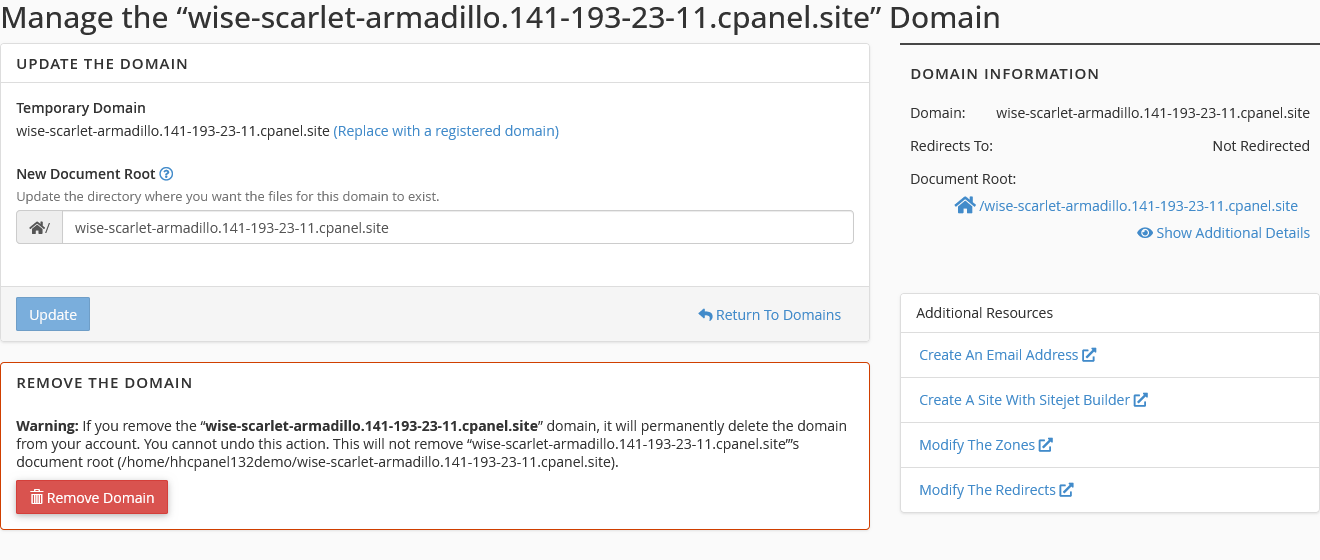
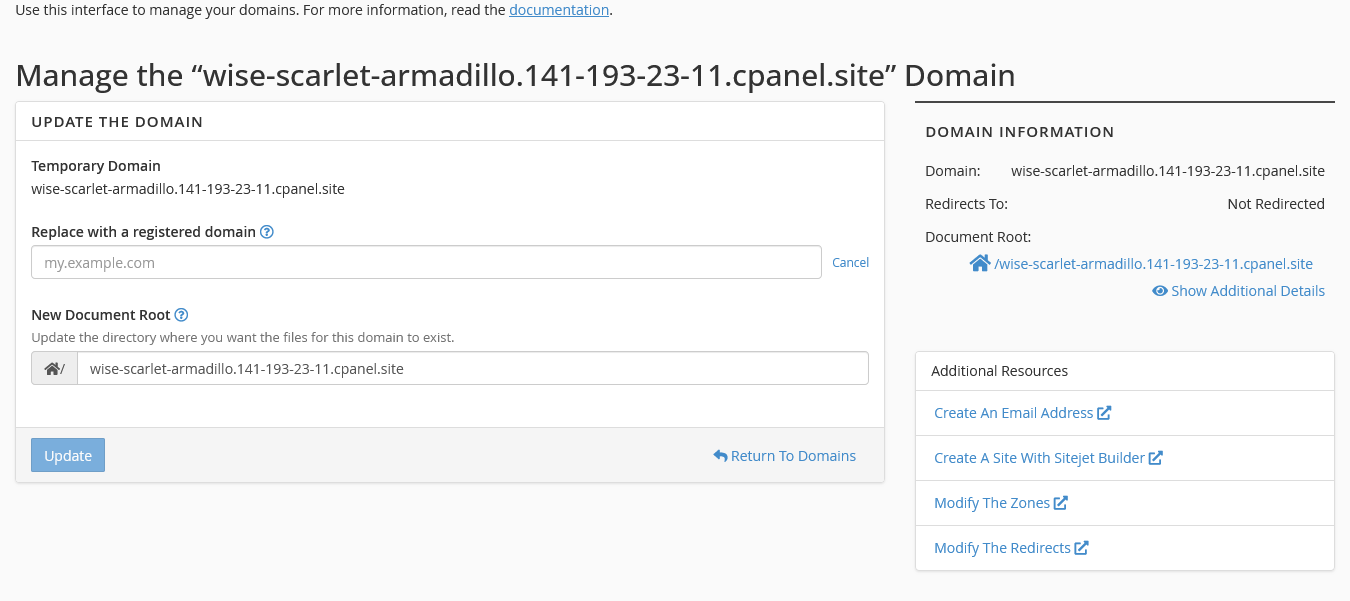
Keep in mind that applications such as WordPress you may need to update their settings to reflect the change from a temporary domain to your production domain.

 Contact Support