
 Shared Web Hosting
Simple, secure, and reliable cloud hosting
Shared Web Hosting
Simple, secure, and reliable cloud hosting
 Semi-Dedicated Cloud Hosting
Higher power & more resources
Semi-Dedicated Cloud Hosting
Higher power & more resources
 Reseller Cloud Web Hosting
White label & fully customizable
Reseller Cloud Web Hosting
White label & fully customizable
Our cPanel servers support server-side sieve filters using the Dovecot Pigeonhole project. You can use Roundcube or many email applications that support server sieve filters directly or through plugins. They allow you to easily create filters and manage applications, and assist in creating a filter straight from an email message you received.
To set up a filter in Roundcube, when viewing an email message, click on "More" and select the "Create Filter" option, which brings up the filter interface.
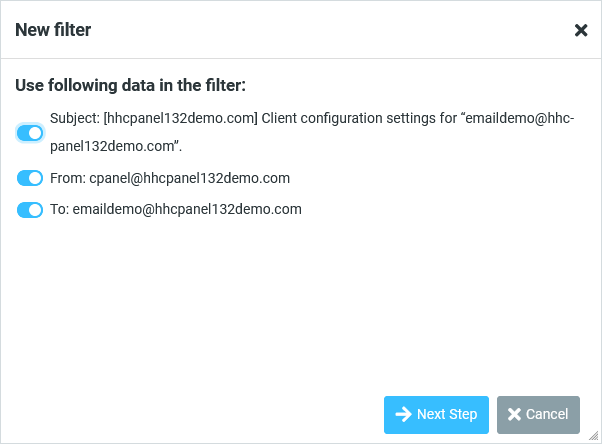
The interface will let you use the subject, from, and to to assist you with creating your filter. Next, you will be able to fully configure your rules, including where you’d like the message to be placed.
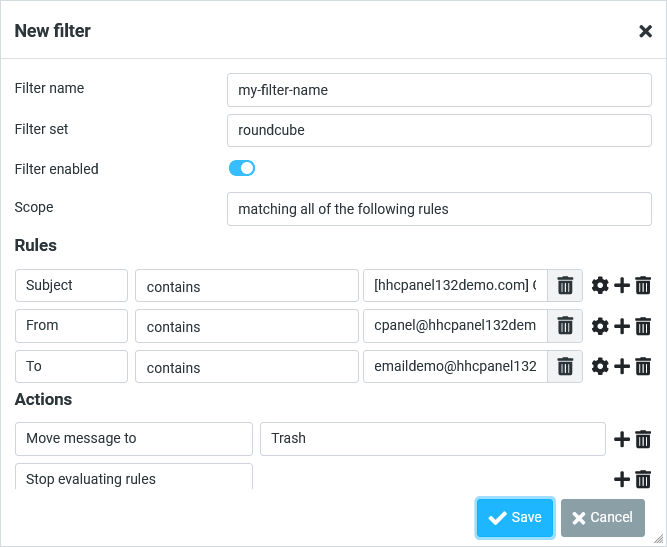
Once you’ve created the filter, it will be applied to any new messages you receive and stored on the server. This means that whether you’re in Roundcube or viewing your mail from your phone, the rules will be applied.
You can view your current rules by navigating to Settings, then selecting Filters within Roundcube.
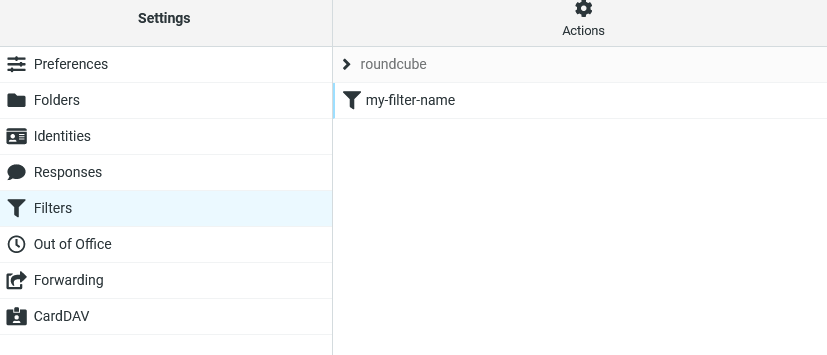
From here, you can also modify or delete any filters.
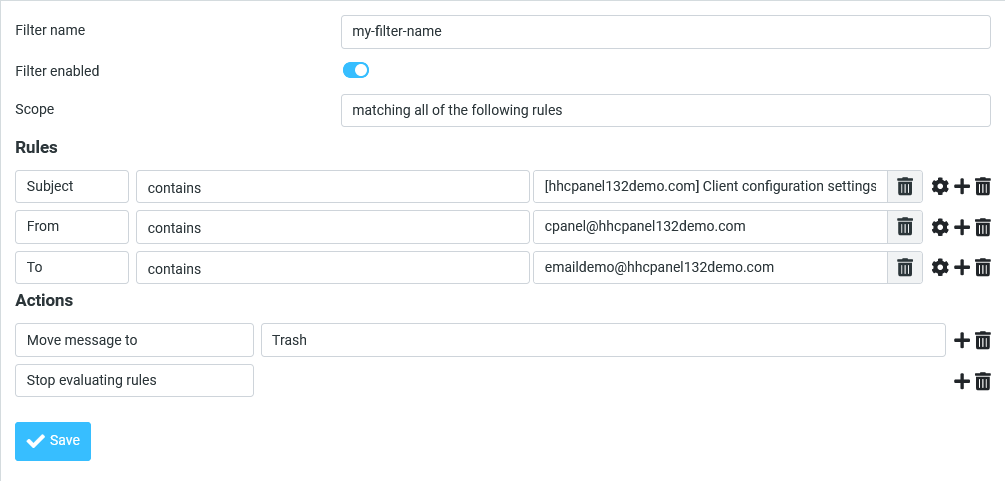
For other email clients or email sieve management tools, please refer to their documentation for instructions on managing filters.

 Contact Support